If you’re evaluating software for your print business, you’ve likely encountered a confusing landscape of ERP systems, management information system options, and point solutions that each claim to solve your problems. This article explains what PrintVis is, who it’s designed for, and why it represents a fundamentally different approach than traditional Print MIS or generic enterprise resource planning software.
PrintVis is a cloud-based Management Information System (MIS) and Enterprise Resource Planning (ERP) solution designed specifically for the printing industry.
Printing Industry
A complete business solution built for the printing industry.
The print industry faces significant pressure in 2024–2026. Average order sizes have dropped 20–30% since 2020, while SKU counts in the packaging industry have increased by 50%. Customers expect real time data on job statuses and delivery. Margins in commercial print often fall below 10%, and experienced press operators are retiring faster than new talent enters the workforce. Increasing competition, tighter profit margins, and the need for operational efficiency are driving print businesses to adopt specialized ERP systems to streamline processes.
Many mid-sized commercial printers, label converters, and wide format shops in North America still run disconnected systems—a standalone MIS for estimating and production, spreadsheets for scheduling, and separate accounting software for financials. This patchwork creates data silos, duplicate entry, and unreliable profitability numbers that limit growth. Many print businesses struggle with managing multiple disconnected systems, which leads to inefficiencies and lack of visibility into their operations, hindering decision-making and growth.
PrintVis is a print-specific MIS/ERP solution built natively on Microsoft Dynamics 365 Business Central. Delivered and implemented by NAB Solutions US for growing print and packaging businesses, it combines estimating, job costing, scheduling, production management, inventory, and full financial management in one system. PrintVis centralizes data into a single source of truth to eliminate duplicate data entry and enhance operational transparency. Its cloud-based accessibility allows users to remotely access data on any device, supporting scalability and collaboration. PrintVis benefits various users within a print business, such as estimators, production managers, and customer service representatives, by improving workflows and efficiency.
ERP Systems for Modern Manufacturers
In today’s fast-paced print industry, ERP (Enterprise Resource Planning) systems have become indispensable tools for manufacturers seeking to stay competitive and agile. For print companies, an ERP system is more than just software—it’s the backbone that connects every aspect of the business, from estimating and order processing to production management and inventory control.
By centralizing business processes within a single ERP system, print businesses can eliminate time-consuming manual data entry and significantly reduce errors that often occur when information is transferred between disconnected systems. This automation not only streamlines workflows but also frees up staff to focus on higher-value tasks, such as job costing, customer service, and production optimization.
Printing Industry
Streamline quoting, production, and planning with an integrated system.
Real-time data is at the heart of modern ERP solutions. With instant visibility into job statuses, inventory levels, and order progress, print manufacturers can make informed decisions on the production floor, respond quickly to customer requests, and proactively manage resources. Shop floor management becomes more efficient, as press operators and managers have access to up-to-date information on scheduling, job tracking, and material usage.
For commercial printers and packaging companies, an ERP system supports core functions like estimating, job tracking, and resource planning, all while providing the operational efficiency needed to reduce costs and improve profitability. By integrating inventory management and production scheduling, print ERP solutions help businesses optimize their business model, adapt to changing market demands, and deliver consistent results for their customers.
Ultimately, ERP systems empower print industry leaders to streamline their operations, minimize costly errors, and focus on what matters most—delivering high-quality print products on time and on budget.
What Is ERP and Print MIS in the Print Industry?
ERP (enterprise resource planning) refers to an integrated system that unifies finance, sales, purchasing, inventory management, production, and reporting across your entire company. Microsoft Dynamics 365 Business Central is a concrete example—a cloud-based platform that serves as a single source of truth for all operational and financial data.
Print MIS, by contrast, is a management information system focused specifically on print shop operations. Traditional MIS tools excel at estimating complex jobs, generating electronic job tickets, visual scheduling, and shop floor data capture. However, most stop short of full financial capabilities.
Key differences between ERP and Print MIS:
ERP handles your general ledger, accounts payable/receivable, cash flow management, budgeting, and multi-entity consolidations
Print MIS handles estimating, imposition data, job tracking, press profiling, and substrate management
ERP provides one database for company-wide reporting; MIS often requires manual exports to create financial reports
ERP supports resource planning across departments; MIS focuses on print production workflows
Many print companies adopted standalone MIS solutions in the 2000s–2010s and bolted them onto separate accounting platforms like QuickBooks. This creates a gap: production data lives in one system while financials live in another, forcing manual reconciliation and limiting visibility into true job profitability.
Why Generic ERP or Standalone MIS Often Falls Short for Print
During assessments, NAB Solutions US frequently encounters the same pain points across print manufacturing operations:
Duplicate data entry between MIS and accounting consuming 20–40% of staff time
Job costing in the MIS that never matches the numbers in the general ledger
Schedulers using whiteboards or Excel because the MIS lacks real-time capacity visibility
Month-end waits of two to three weeks for spreadsheet reconciliations of job P&L
Consider a commercial printer in 2025 running a legacy MIS plus a separate GL system. The estimating team creates quotes in the MIS, but actual costs must be manually exported and matched to invoices in accounting. By the time finance closes the month, profitability insights are already stale.
Die-cut tracking, flexo roll calculations, or imposition tools
Industry-standard workflows from prepress through finishing
Standalone MIS falls short because it lacks:
Integrated general ledger and multi-company financial consolidation
Robust AP/AR, fixed asset tracking, and cash flow forecasting
Native connection to modern business tools like Power BI or Microsoft 365
Scalability for multi-site operations without custom integrations
Business impact of disconnected systems:
Slow quoting due to time consuming tasks like re-entering specifications
Uncertain margins discovered only at month-end
Missed delivery dates from poor scheduling visibility
Higher rework and errors from duplicate data entry
Difficulty scaling to new lines like digital labels or flexible packaging
What Is PrintVis? Built Natively on Dynamics 365 Business Central
PrintVis is a print and packaging MIS/ERP solution developed over more than 25 years, built natively inside Microsoft Dynamics 365 Business Central. This isn’t an external integration or bolt-on—PrintVis extends Business Central’s standard ERP framework with print-specific logic.
What PrintVis adds to Business Central:
Estimating with support for sheets, rolls, click charges, substrates, inks, coatings, makeready, and spoilage
Job costing that flows directly into financial statements
Visual scheduling across presses, finishing lines, and shifts
Shop floor management with real-time data capture via terminals, tablets, or barcode scanners
Inventory and purchasing linked to print materials (paper grades, inks, plates, dies)
Industries served:
Commercial sheetfed and web printers
Digital and wide format shops
Folding carton and corrugated packaging plants
Label converters
Book and magazine producers
Mixed operations running multiple production types
PrintVis is deployed as cloud-native SaaS on Microsoft Azure, updated twice yearly in alignment with Business Central’s Wave 1 and Wave 2 releases. It’s fully localized for US and Canadian finance and tax requirements, and supported by partners like NAB Solutions US.
Core PrintVis Capabilities Across the Quote-to-Cash Lifecycle
Rather than listing features, let’s walk through how PrintVis handles a typical print job lifecycle—from request for quote through invoice and cash receipt. Each step improves control, speed, and accuracy because everything runs in one system.
Estimating and Job Costing for Print, Labels, and Packaging
Fast, accurate estimating is critical for profitability. PrintVis handles complex scenarios that generic erp software cannot.
Consider a label converter quoting a 4-color flexo run with varnish, multiple die cuts, and quantity breaks. PrintVis models press time, material usage (including roll stock optimization), setup, and spoilage factors. The system generates instant “what-if” P&L comparisons across different equipment or run methods.
Key estimating capabilities:
Support for sheets, rolls, click charges, substrates, inks, coatings, and finishing steps
Automatic contribution to estimated job P&L and margin analysis
Quantity break calculations for customer quoting
Equipment comparison for optimal production routing
Actual costs captured on the production floor flow back for variance analysis
When the job runs, actual labor, materials, and machine time post directly to the job card. This enables post-calculation review and continuous improvement without manual data entry errors.
Scheduling, Capacity Planning, and Shop Floor Control
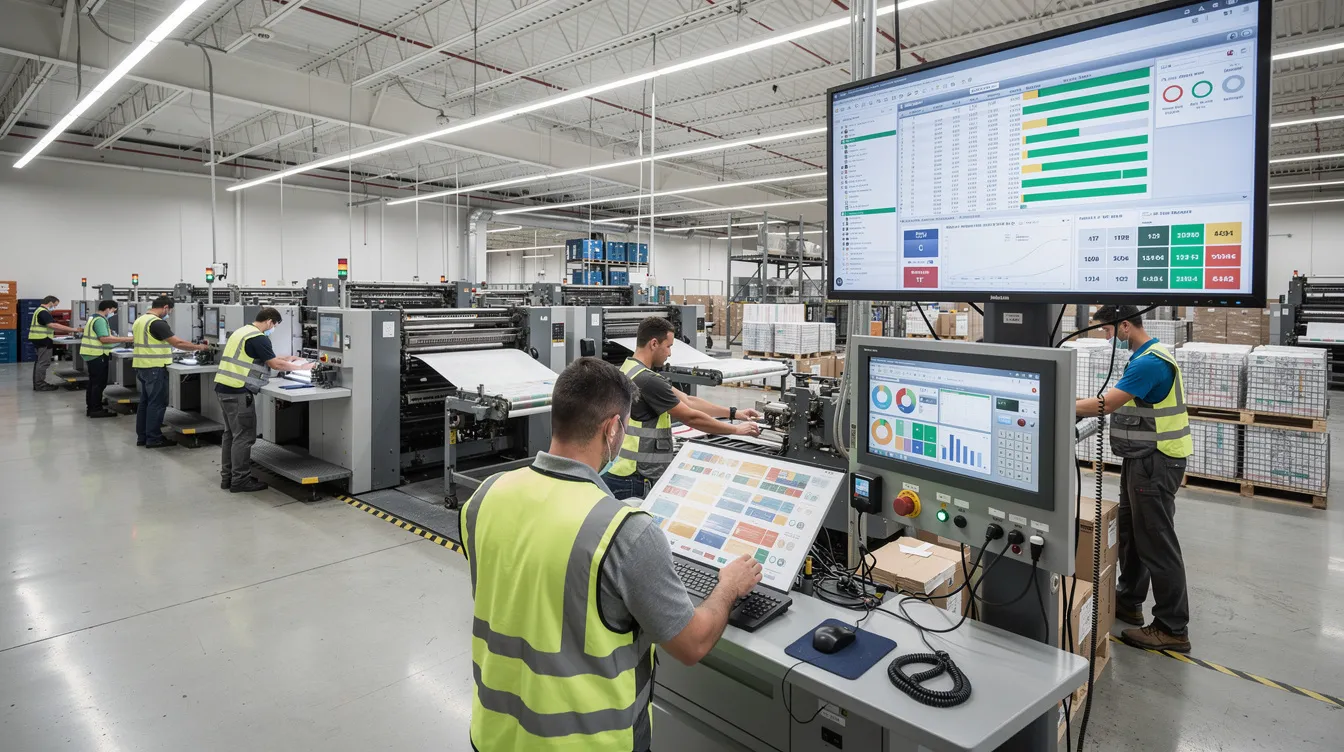
PrintVis provides centralized electronic scheduling that replaces whiteboards, spreadsheets, and guesswork. Planners see load by day, by machine, and by shift across all production resources.
Imagine a busy commercial printer in peak season. Using PrintVis, the scheduler can drag-and-drop jobs across presses and finishing lines, immediately seeing the impact on promised delivery dates. When a rush order arrives, the system shows exactly where it fits—or what must move.
Scheduling and shop floor capabilities:
Visual drag-and-drop scheduling across presses, digital devices, finishing, and external services
Real-time status as operators record setup, run, and downtime via barcode scanners or tablets
Multi-stage workflow tracking from prepress through printing, finishing, and fulfillment
WIP visibility across departments
On-time delivery improvements of 20–30% in typical implementations
Inventory, Procurement, and Waste Reduction
PrintVis links print-specific material usage with Business Central’s inventory and purchasing modules. This integration creates a closed loop from order processing through production to financial posting.
A folding carton plant managing multiple board grades and sheet sizes uses PrintVis to optimize imposition—reducing substrate waste by 10–15%. When safety stock thresholds are reached, the system triggers automatic reorder suggestions.
Inventory and purchasing benefits:
Fewer stockouts through automated reorder points
Better leverage of volume purchasing with accurate usage tracking
Accurate cost per job including surcharges, freight, and waste
Support for consignment stock and vendor-managed inventory
Reduced working capital and fewer rush purchases
Financial Management, Reporting, and Business Intelligence
PrintVis uses the full Business Central financial engine—general ledger, AR/AP, bank management, budgeting, fixed assets, and multi-entity consolidations. Every job transaction posts automatically.
Financial capabilities:
Job-level data rolls into financial statements without manual exports
Margin analysis by customer, press, and product family (labels vs. cartons)
On-time delivery KPIs alongside financial metrics
Power BI dashboards for role-based insights (CFO backlog trends, production manager throughput)
Excel integration for ad-hoc analysis
Month-end closes completed in days, not weeks
Business Outcomes: Why Printers Choose Business Central with PrintVis
The value of PrintVis isn’t in features—it’s in outcomes. Print companies implementing Business Central with PrintVis consistently report measurable improvements.
Typical results from NAB Solutions US implementations:
20–40% reduction in manual data entry between departments
Quote-to-order time dropping from days to hours for complex jobs
Improved on-time delivery through real-time visibility and better scheduling
Clear view of job, customer, and equipment profitability enabling smarter pricing
Identification of loss-making SKUs that were previously invisible
A wide format shop reduced rework by tracking proofs and approvals in one system. A packaging plant optimized board usage and leveraged volume buys after gaining visibility into actual consumption. These outcomes come from unified data—not from piecing together disconnected tools.
How PrintVis Differs from Traditional Print MIS Solutions
If you’ve evaluated tools like Tharstern, Avanti, or HiFlow, you know they offer strong print workflows. The difference with PrintVis is architectural.
Key differentiators:
Unified ERP + MIS: PrintVis lives inside Business Central—one database, one user experience, one security model
Real-time financial insight: Every job touchpoint posts to finance as work happens, avoiding end-of-month surprises
Microsoft 365 ecosystem: Native connections to Outlook, Teams, Excel, and SharePoint for collaboration
Power Platform & AI: Leverage Power BI, Power Automate, and Microsoft Copilot to extend workflows and surface insights
Open architecture: Built on Microsoft’s framework, reducing integration risk and simplifying upgrades
Compare a standalone MIS plus QuickBooks environment versus Business Central with PrintVis. The unified approach eliminates reconciliation work, reduces integration failures, and creates a simpler support model with lower total cost over 5–10 years.
Leveraging Microsoft 365, Power BI, and Copilot with PrintVis
Your team already works in Microsoft tools. PrintVis keeps them there. Estimators send quotes directly from Outlook and see customer insights from Business Central without switching applications. Production teams collaborate on job changes via Teams.
Power BI dashboards pull live data from PrintVis to monitor backlog, capacity, revenue, and margin trends. Microsoft Copilot can suggest estimate text, summarize production exceptions, or answer natural-language questions about job performance—reducing time spent on routine analysis.
Printing Industry
Start streamlining production and administration with PrintVis today.
Is PrintVis Right for Your Print, Label, or Packaging Business?
PrintVis is designed for mid-sized and growing operations that need structured business processes and reliable financials. Consider whether your company matches these criteria:
25–300 employees with multiple presses and finishing lines
Multiple plants, divisions, or a growing mix of offset, digital, labels, and packaging
Currently using disconnected systems and struggling to get reliable job profitability numbers
Planning to add new equipment or expand in the next 12–24 months
Replacing an aging on-prem ERP or legacy MIS that’s no longer supported
Very small shops with a handful of jobs per day may find PrintVis more than they need. But for print world companies facing complexity and growth, it’s often the right choice.
Why Work with NAB Solutions US for PrintVis and Business Central?
NAB Solutions US is a Microsoft Dynamics 365 and Power Platform consultancy with a dedicated print practice. We work with commercial printers, label converters, and packaging manufacturers across the US and Canada.
Our approach includes:
Discovery workshops and process mapping from estimate to cash
Data migration planning and realistic phased implementation roadmaps
Finance and core print functionality first, advanced automation later
Training, optimization, and ongoing support post-go-live
Integrations with web-to-print, prepress tools, and shipping carriers, including leveraging your website as a central platform for web-to-print services. This enables automated job processing and seamless integration with print shop workflows.
Continuous improvement using Power Platform and analytics
NAB acts as a long-term partner—not just an implementation vendor. We help clients adapt as technology and market conditions evolve, making PrintVis an investment that scales with your business model.
Next Steps: Explore PrintVis with a Print ERP Specialist
PrintVis plus Microsoft Dynamics 365 Business Central offers a unified, cloud-based print ERP/MIS tailored to print, packaging, label, and wide format manufacturers seeking end-to-end control. It addresses the core functions that printing house operations require while providing the financial depth that a modern ERP system delivers.
Moving to a modern platform is a journey, not an overnight switch. NAB Solutions US guides customers from initial assessment through implementation and ongoing optimization.
Take a low-risk first step:
Schedule a conversation with an NAB print ERP specialist to review your current systems and pain points
Request a tailored demo showing your job types running through PrintVis
Explore a readiness assessment to align project scope, budget, and timeline
The print companies that thrive in 2026 and beyond will be those with integrated systems, real-time visibility, and the operational efficiency to reduce costs while serving customers faster. Contact NAB Solutions US to explore how Business Central with PrintVis can support your print operation.
Printing Industry
See how PrintVis manages digital printing, offset, large format, and label production.
A cloud ERP system reduces costs associated with traditional infrastructure by eliminating the need for on‑premises hardware. Instead, businesses benefit from scalable pricing models that adapt as needs change. Cloud ERP solutions also provide automated updates with zero downtime, ensuring operational continuity while significantly reducing the effort required for manual system maintenance.
AI integration in ERP systems enhances operational efficiency by automating time‑consuming tasks, with the potential to improve efficiency by up to 50%. AI enables real‑time data analytics and delivers actionable, AI‑driven insights that support faster and more informed decision‑making. By using predictive analytics, AI helps optimize workflows, improve resource planning, and uncover cost‑saving opportunities, ultimately unlocking long‑term growth potential.
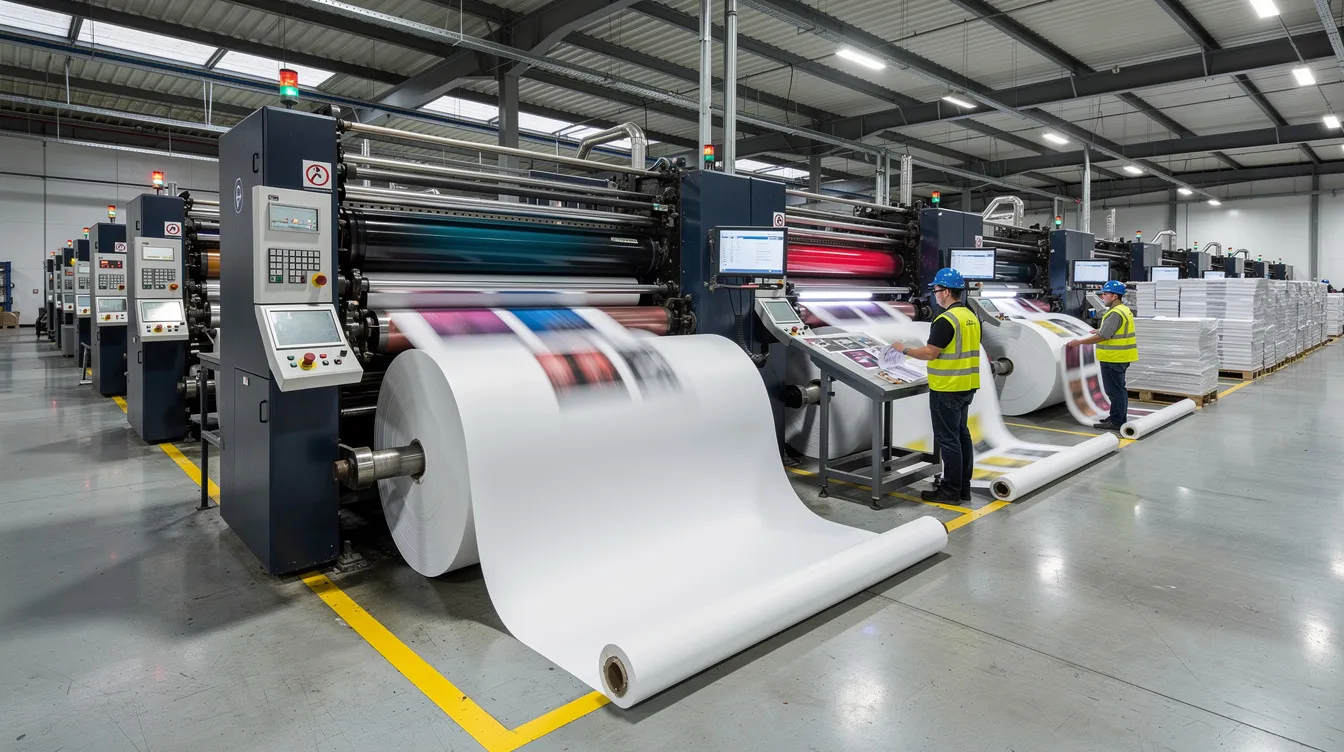
Print production involves complex variables such as diverse materials, production processes, machines, and customer requirements. Without an integrated ERP system, it becomes difficult to accurately estimate costs, manage workflows, and maintain profitability. Modern print ERP systems are specifically designed to handle these complexities, centralizing everything from the initial customer quote to final delivery in a single database for full operational control.
PrintVis enhances project management by linking multiple quotes and jobs to a single main project, providing better oversight and control. Accurate estimating and quoting are supported through automated calculations based on rule‑driven templates, which significantly reduce quoting time while improving accuracy. This helps print businesses respond faster to customers and protect margins.
PrintVis includes visual scheduling tools that make it easier to manage complex workflows and optimize machine utilization. These tools provide clear visibility into production capacity, bottlenecks, and job progress, helping print companies plan more effectively and ensure efficient use of resources across the entire production process.
Curious how we can help you grow your business?
Get in touch with us at NAB and we’ll explore your challenges and tailor a solution to help you take the next step in your business.