CRM

ERP

We’ve been driving innovation in our industry for over 20 years. Talk to one of our experts and take the next step.

Contact

AI / Copilot

We’ve been driving innovation in our industry for over 20 years. Talk to one of our experts and take the next step.

Contact

Productivity

Industries

We’ve been driving innovation in our industry for over 20 years. Talk to one of our experts and take the next step.

Contact us

Author

Cajsa Adenmark

Cajsa Adenmark works in marketing at NAB Solutions, focusing on communications, content, and how new technology can deliver practical business value.

Cajsa Adenmark

Articles by Cajsa Adenmark

A print operator checks a sheet beside a printing press.

5 Signs You’ve Outgrown Spreadsheets

PrintVis

arrow_right_alt
Printed color swatches and production sheets on a work surface.

How Successful Print Businesses Improve Operational Visibility

PrintVis

arrow_right_alt
Workers handle materials beside equipment in a print production facility.

5 Signs Your ERP Is Holding Back Growth

Business Central

PrintVis

arrow_right_alt
A man wearing glasses works beside a laptop displaying a software interface.

Why Medical Device Manufacturers Are Choosing a Different Kind of ERP Partner
Medical device manufacturing

arrow_right_alt
A colleague with overlaid business application screens and charts.

Computer system validation – simply explained

Medical device manufacturing

arrow_right_alt
An illustration combines a smartphone, two people and health monitoring graphics.

Digital transformation in medical technology
Medical device manufacturing

arrow_right_alt
An illustration of business application screens arranged around a central workspace.

GAMP5 – explained simply

Medical device manufacturing

arrow_right_alt
A colleague beside overlaid charts and business application screens.

Audit Trail – explained simply

Medical device manufacturing

arrow_right_alt
A person wearing safety glasses and protective clothing examines a vial in a laboratory.

Validate with confidence – compliant and secure.

Medical device manufacturing

arrow_right_alt
A man wearing glasses works beside a laptop displaying a software interface.

Software validation explained simply

Medical device manufacturing

arrow_right_alt
A man wearing glasses beside a laptop displaying a software interface.

Validation-ready ERP: How medical device companies meet compliance requirements

Medical device manufacturing

arrow_right_alt
A man behind a laptop with a diagram of connected workflow steps.

Process validation explained simply

Medical device manufacturing

arrow_right_alt
A gloved hand holds a laboratory sample in a production environment.

Business Central for Chemical Manufacturing

Chemical manufacturing

The Process Industry

arrow_right_alt
A person at a desk faces multiple screens and connected application graphics.

How Microsoft 365 Supports Everyday Work

Microsoft 365

Productivity

arrow_right_alt
A colleague in an office, with desks and other people in the background.

Does everyone have to work the same way in Microsoft 365?

Microsoft 365

Productivity

arrow_right_alt
Colleagues work together and discuss information in a workplace.

Frictionless collaboration - when everyone works with the same platform

Microsoft 365

Productivity

arrow_right_alt
Colleagues work together and discuss information in a workplace.

Getting started with Microsoft 365 - without starting over

Microsoft 365

arrow_right_alt
Two smiling women stand together in a workplace with boxes and shelves.

5 ERP capabilities every cosmetics manufacturer should look for

Cosmetics manufacturing

The Process Industry

arrow_right_alt
A colleague in an office, with desks and other people in the background.

Cosmetics manufacturing and ERP — why legacy systems can become a risk

Cosmetics manufacturing

The Process Industry

arrow_right_alt
Cosmetic products and a person surrounded by overlaid business application graphics.

ERP for traceability and quality in cosmetics manufacturing
Cosmetics manufacturing

The Process Industry

arrow_right_alt
Workers in protective clothing beside a food production line and a business reporting screen.

ERP as a foundation for traceability and quality in food manufacturing

Food manufacturing

The Process Industry

arrow_right_alt
A wide interior view with workstations, materials and people.

5 essential ERP capabilities for food manufacturers

Food manufacturing

The Process Industry

arrow_right_alt
Two people reviewing information beside overlaid business reporting screens and fresh food.

Does your ERP system meet the demands of the food industry?

Food manufacturing

The Process Industry

arrow_right_alt
People work at laptops in a laboratory with a small multicolored app symbol overlaid.

How the Right ERP System Helps Medical Device Manufacturers Meet Regulatory Requirements

Medical device manufacturing

The Process Industry

arrow_right_alt
A production line with containers, screens and digital monitoring information.

Five ERP Capabilities Medical Device Manufacturers in Process Industries Need

Medical device manufacturing

The Process Industry

arrow_right_alt
Colleagues work together and discuss information in a workplace.

ERP for Medical Device Manufacturing — Does Your System Meet Process Industry Requirements?

Medical device manufacturing

The Process Industry

arrow_right_alt
A colleague in an office, with desks and other people in the background.

From tools to ways of working—how to get real value from Microsoft 365

Microsoft 365

Productivity

arrow_right_alt
Colleagues work together and discuss information in a workplace.

How big of a project is it really to work “modern”?

Microsoft 365

Productivity

arrow_right_alt
A man wearing glasses beside overlaid digital application cards.

Is Microsoft 365 secure? Here’s what decision-makers need to know

Microsoft 365

Productivity

arrow_right_alt
An illustration of a building dissolving into digital blocks above water.

Microsoft 365 as a foundation for security and structure

Microsoft 365

Productivity

arrow_right_alt
Colleagues stand in a bright open office.

How modern companies work—securely, flexibly, and connected

Microsoft 365

Productivity

arrow_right_alt
Colleagues work together and discuss information in a workplace.

Modern Work — more than Teams, Outlook, and Excel

Microsoft 365

Productivity

arrow_right_alt
A colleague at a desk with papers around him.

Why today’s ways of working slow companies down (without us noticing)

Microsoft 365

Productivity

arrow_right_alt
A colleague with overlaid business application screens and charts.

How to get started with ERP for wholesale businesses
ERP

Wholesale

arrow_right_alt
A laptop displays a business dashboard with digital information overlaid nearby.

How wholesalers gain better control over inventory, profitability, and workflows

Business Central

ERP

Wholesale

arrow_right_alt
A smiling woman in a bright open office.

How Business Central simplifies financial management for membership organizations

ERP

Membership Organization

arrow_right_alt
A man wearing glasses rests a hand on his chin, with small graphic elements overlaid.

5 common problems membership organizations have with their ERP systems — and how Business Central solves them

ERP

Membership Organization

arrow_right_alt
A man rests his head on his hand in an office.

When Production, Inventory, and Finance Don’t Communicate

ERP

The Process Industry

arrow_right_alt
A smiling woman in an office with a green graphic along the bottom of the image.

Your SaaS company is growing—but are your systems keeping up?

ERP

SaaS companies

arrow_right_alt
Colleagues work together and discuss information in a workplace.

Many membership organizations struggle with ERP systems designed for customers, not members. With Business Central, memberships

ERP

Membership Organization

arrow_right_alt
Colleagues work together and discuss information in a workplace.

Are modern ERP systems the right fit for wholesale businesses?

ERP

Wholesale

arrow_right_alt
Two colleagues walk through a warehouse with shelves behind them.

Better Decision Support in Process Manufacturing with Business Central and Power BI

ERP

The Process Industry

arrow_right_alt
A colleague reviews a business dashboard on a computer monitor.

How to get started with Business Central in a group structure

Corporate Group

ERP

arrow_right_alt
Industrial processing towers and storage tanks at dusk.

Getting Started with Business Central for Process Manufacturing

ERP

The Process Industry

arrow_right_alt
A man rests a hand on his forehead beside a computer screen.

Is it reasonable to bring the entire group into a single system?

Corporate Group

ERP

arrow_right_alt
Colleagues work together and discuss information in a workplace.

What does NAB help with—and what do you handle yourselves?

Microsoft 365

Productivity

arrow_right_alt
A colleague with overlaid business application screens and charts.

Is Microsoft’s platform suitable for member-driven organizations?

ERP

Membership Organization

arrow_right_alt
Colleagues work together and discuss information in a workplace.

How to get started with Microsoft’s platform

ERP

Membership Organization

arrow_right_alt
A colleague with overlaid business application screens and charts.

When administration takes time away from members

ERP

Membership Organization

arrow_right_alt
A colleague sits at a computer in an office.

When inventory, purchasing, and sales aren’t connected—the wholesaler’s most common challenge

ERP

Wholesale

arrow_right_alt
Three colleagues discuss information together in an office.

How Business Central Supports Daily Operations in Process Manufacturing

ERP

The Process Industry

arrow_right_alt
Colleagues review information together in an office.

5 challenges SaaS companies face as they grow

ERP

SaaS companies

arrow_right_alt
Colleagues work together and discuss information in a workplace.

How Corporate Groups Leverage a Unified Platform for Finance and Analytics

Corporate Group

ERP

arrow_right_alt
Colleagues work together and discuss information in a workplace.

Efficient membership and financial management with Business Central

ERP

Membership Organization

arrow_right_alt
A woman beside digital business reporting screens.

Multiple Companies, Multiple Truths: The Biggest Challenge for Corporate Groups

Corporate Group

ERP

arrow_right_alt
A colleague with overlaid business application screens and charts.

Why so many companies choose Microsoft as their platform

Microsoft 365

arrow_right_alt
A colleague sits at a computer in an office.

Security in Microsoft’s cloud solutions — what does it actually mean?

Microsoft Security

arrow_right_alt
A worker wearing a safety helmet beside an overlaid business application interface.

Business Systems for Equipment Rental: Why Many Choose NAB as Their Partner

ERP

Rental industry

arrow_right_alt
Colleagues work together and discuss information in a workplace.

Business Systems for Equipment Rental: What to Compare When Evaluating ERP Options

ERP

Rental industry

arrow_right_alt
Colleagues work together and discuss information in a workplace.

Is Business Central the Right ERP for Your Rental Business?

ERP

Rental industry

arrow_right_alt
A colleague sits at a computer in an office.

Business Systems for Equipment Rental: How Business Central Simplifies Operational Complexity

ERP

Rental industry

arrow_right_alt
A colleague sits at a computer in an office.

Get started with Microsoft Dynamics 365 Sales — and deliver real value from day one

Sales

arrow_right_alt
Colleagues work together and discuss information in a workplace.

When sales actually start working for you — not the other way around
Sales

arrow_right_alt
A man wearing glasses beside overlaid business application screens.

Choosing a CRM for sales – how does Microsoft Dynamics 365 Sales compare to the alternatives?

Sales

arrow_right_alt
Two colleagues in an office, with another person in the foreground.

What is Microsoft Dynamics 365 Sales — and why do companies use it?

Sales

arrow_right_alt
A colleague in an office, with desks and other people in the background.

What’s important from the start when implementing Microsoft’s CRM platform

CRM

arrow_right_alt
Two men talk across a table in an office.

Microsoft’s CRM platform — how the pieces fit together
CRM

arrow_right_alt
An illustration of a desk, computer screens and business charts.

When is Microsoft’s CRM platform the right fit — and what needs does it solve best?

CRM

arrow_right_alt
A worker wearing a helmet uses a tablet beside overlaid application interface cards.

Choosing a Field Service solution — what sets Microsoft Dynamics 365 Field Service apart from the alternatives?

Field Service

arrow_right_alt
A colleague beside overlaid digital dashboards and service information.

Microsoft Dynamics 365 Field Service — where structure, data, and service come together

Field Service

arrow_right_alt
A worker wearing a cap beside overlaid digital reporting screens.

What is Microsoft Dynamics 365 Field Service — and why do companies use it?
Field Service

arrow_right_alt
Two colleagues beside overlaid business application screens.

Why companies choose Business Central as their ERP platform

Business Central

ERP

arrow_right_alt
Two smiling women sit together outdoors.

Business Central — when your ERP system needs to deliver real business support

Business Central

ERP

arrow_right_alt
A colleague sits at a computer in an office.

Why more and more companies choose Business Central as their ERP system

Business Central

ERP

arrow_right_alt
A colleague sits at a computer in an office.

What is Business Central — and why are so many companies talking about it?

Business Central

ERP

arrow_right_alt
Portrait of a worker wearing a safety helmet.

Choosing Microsoft Dynamics 365 Field Service — what’s important from the start

Field Service

arrow_right_alt
An illustration of people, plants and connected digital application screens.

Implementing Dynamics 365 Customer Service — structure, measurement, and pace

Customer Service

arrow_right_alt
Colleagues work together and discuss information in a workplace.

When is Microsoft Customer Service the right fit — and what needs does it solve best?

Customer Service

arrow_right_alt
Colleagues work together and discuss information in a workplace.

How Microsoft Customer Service works in practice — from channel to resolution

Customer Service

arrow_right_alt
A colleague sits at a computer in an office.

Microsoft Dynamics 365 Customer Service — when customer cases need a shared structure

Customer Service

arrow_right_alt
Colleagues work together and discuss information in a workplace.

When is Customer Insights the right solution — and what needs does it solve?

Customer Insights

arrow_right_alt
Colleagues work together and discuss information in a workplace.

Implementing Microsoft Customer Insights — from ambition to business value

Customer Insights

arrow_right_alt
A smiling woman at a computer with two colleagues behind her.

How Microsoft Customer Insights works in practice

Customer Insights

arrow_right_alt
A man sits at a computer and looks toward the camera.

Customer Insights — when customer data exists but understanding is missing

Customer Insights

arrow_right_alt
A colleague in an office, with desks and other people in the background.

A modern CRM platform for companies that want to bring structure to their customer relationships.

CRM

arrow_right_alt
Two colleagues smile beside an overlaid Copilot symbol.

How to succeed with Copilot Studio

Copilot Studio

Productivity

arrow_right_alt
Two colleagues in an office with a purple graphic overlay.

Security and governance in Copilot Studio

Copilot Studio

Productivity

arrow_right_alt
Two colleagues in an office with a colorful graphic overlay.

Is Copilot Studio the right investment for you?

Copilot Studio

Productivity

arrow_right_alt
The Microsoft Copilot symbol on a white tile against a colorful background.

What is Copilot Studio—and how can it be used?

Copilot Studio

Productivity

arrow_right_alt
A tablet displays charts with buildings in the background.

How to succeed with Power Automate

Power Platform

Productivity

arrow_right_alt
Colleagues discuss information around a laptop in an office.

How Power Automate works

Power Platform

Productivity

arrow_right_alt
A colleague in an office, with desks and other people in the background.

Is Power Automate the right solution for your processes?

Power Platform

Productivity

arrow_right_alt
A man wearing glasses sits in front of screens displaying software interfaces.

What is Power Automate?

Power Platform

Productivity

arrow_right_alt
A colleague in an office, with desks and other people in the background.

How you successfully implement Power Apps

Power Platform

Productivity

arrow_right_alt
Colleagues work together and discuss information in a workplace.

How does Power Apps work in practice?

Power Platform

Productivity

arrow_right_alt
Colleagues work together and discuss information in a workplace.

Is Power Apps the right platform for us?

Power Platform

Productivity

arrow_right_alt
Colleagues work together and discuss information in a workplace.

What is Power Apps—and why is everyone talking about low-code?

Power Platform

Productivity

arrow_right_alt
A team beside an overlaid smartphone displaying business dashboards.

What a successful Power BI implementation looks like

Power BI

arrow_right_alt
Colleagues work together and discuss information in a workplace.

Badger + Power BI — the fastest way from Business Central to insight

Power BI

arrow_right_alt
A man wearing glasses stands with his arms folded in an office.

Get started with Power BI — a quick start or a step-by-step journey

Power BI

arrow_right_alt
A woman in an office beside an overlaid Power BI symbol.

Who sees what in Power BI — and how are reports shared securely?

Power BI

arrow_right_alt
A man reviews business charts on a laptop.

What does it take for Power BI to work well in everyday operations?

Power BI

arrow_right_alt
A man seen in profile in an office workspace.

How difficult is it to get started with Power BI?

Power BI

arrow_right_alt
Colleagues work together and discuss information in a workplace.

Connect data from multiple systems in Power BI

Power BI

arrow_right_alt
A colleague sits at a computer in an office.

Finance, sales, and inventory — all in the same report view

Power BI

arrow_right_alt
Three colleagues beside overlaid charts and reporting graphics.

How leadership teams use Power BI for performance follow-up

Power BI

arrow_right_alt
A colleague in an office, with desks and other people in the background.

Make decisions based on facts — not gut feeling

Power BI

arrow_right_alt
A woman wearing glasses looks toward digital charts on screens.

What is Business Intelligence — and why isn’t Excel enough anymore?

Power BI

arrow_right_alt
A person views charts and dashboards on a large display.

We’re drowning in data — Power BI makes the numbers understandable

Power BI

arrow_right_alt
Colleagues work together and discuss information in a workplace.

How SaaS companies create structure in finance, data, and teamwork
ERP

SaaS companies

arrow_right_alt
Colleagues work together and discuss information in a workplace.

Is Microsoft’s business platform the right choice for growing SaaS companies?

ERP

SaaS companies

arrow_right_alt
Colleagues work together and discuss information in a workplace.

Why SaaS companies should choose Business Central—and NAB as a partner

ERP

SaaS companies

arrow_right_alt
A colleague sits at a computer in an office.

How to get started with Business Central for SaaS companies

ERP

SaaS companies

arrow_right_alt
A person in a dark shirt stands in a workplace.

How to get started with Microsoft’s business platform

ERP

Finance & Insurance

arrow_right_alt
A worker stands in a production facility holding information.

When the Demand for Control, Security, and Traceability Increases

ERP

Finance & Insurance

arrow_right_alt
Workers handle materials beside a printing press.

Getting Started with ERP for Print Companies

ERP

PrintVis

arrow_right_alt
Colleagues work together and discuss information in a workplace.

Are Modern ERP and Analytics Tools the Right Fit for Print Companies?

ERP

PrintVis

arrow_right_alt
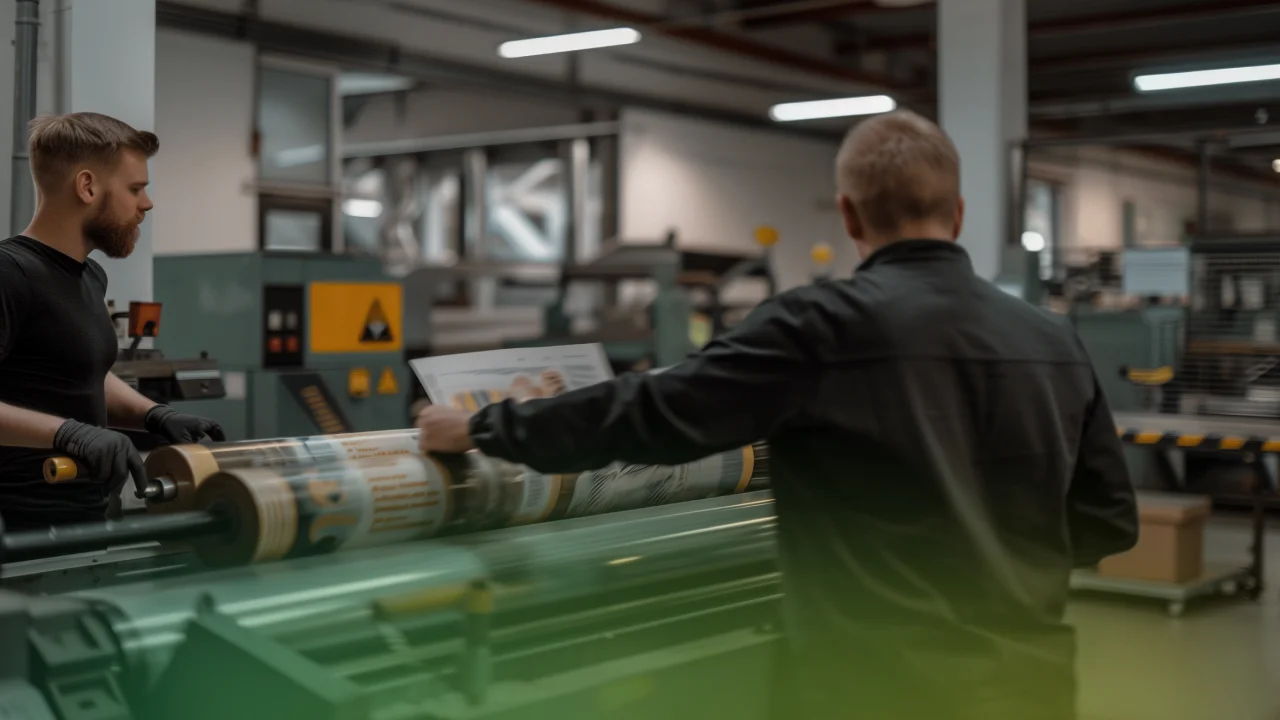
A worker wearing a cap stands beside a computer screen in a production facility.

How Print Companies Gain Control Over Production, Finance, and Performance
ERP

PrintVis

arrow_right_alt
Workers handle materials beside a printing press.

Digital Transformation in the Printing Industry — Why Traditional Ways of Working Are No Longer Enough

ERP

PrintVis

arrow_right_alt
A man at a computer with overlaid business application graphics.

Better Structure and Collaboration for Membership Organizations

ERP

Membership Organization

arrow_right_alt
Three colleagues smile while looking at a computer together.

What Happens After the Decision? What a Successful Copilot Rollout Actually Looks Like

AI / Copilot

arrow_right_alt
A woman raises her hands beside an overlaid question mark graphic.

Which Copilot Should We Choose — and How Do We Know What Fits Our Organization?

AI / Copilot

arrow_right_alt
A smiling man in an office with a green graphic along the bottom of the image.

How to Get Started with Copilot — Without Turning It into a Major Project

AI / Copilot

arrow_right_alt
Two colleagues talk in an office with a green graphic overlay.

Does Copilot Work in the Real World — or Is It Just Great Demos?

AI / Copilot

arrow_right_alt
A woman uses a laptop beneath an overlaid circular assistant symbol.

Does Everyone Need to Use Copilot — or Can You Start Small?

AI / Copilot

arrow_right_alt
A smiling man stands in a workspace with drawings and furniture behind him.

Is Copilot Safe to Use at Work?

AI / Copilot

arrow_right_alt
A colleague with the Copilot symbol and an illustrated assistant prompt overlaid.

Copilot as a Smart Assistant in the Workday

AI / Copilot

arrow_right_alt
Colleagues talk at a table with a laptop.

Copilot in Dynamics 365 Sales: How AI Is Transforming the Sales Process

AI / Copilot

arrow_right_alt
A smiling colleague in an office with a green graphic overlay.

7 Ways to Work Smarter with Copilot in Microsoft 365

AI / Copilot

arrow_right_alt
A woman looks across a bright office with a green graphic along the bottom of the image.

Everything You Need to Know About Copilot (in 5 Minutes)

AI / Copilot

arrow_right_alt
A colleague beside overlaid Copilot and ChatGPT symbols.

Copilot vs. ChatGPT: What’s the Difference?

AI / Copilot

arrow_right_alt
A woman stands in an open office with desks and seating behind her.

Copilot, Copilot Studio & Agents — what does it all mean?

AI / Copilot

arrow_right_alt